
Minecraftception
Published: August 21, 2023 - View official source
Is this real? I’m watching someone play Minecraft, on a computer built inside Minecraft. The screen runs in two colors on a relatively small number of pixels, but it’s unmistakably a functioning version of Minecraft. I watch the player mine blocks, dig down to the bedrock, and even craft items. Who made this? Are they an actual wizard?
In fact, this virtual computer is the work of redstone enthusiast sammyuri, who completed the CPU between school classes over the course of several months. He calls it the CHUNGUS2, and it’s a thing of beauty. We caught up with this intrepid inventor to find out how he built the computer, and then teamed up with fellow builders Uwerta and StackDoubleFlow to get it to run Minecraft.
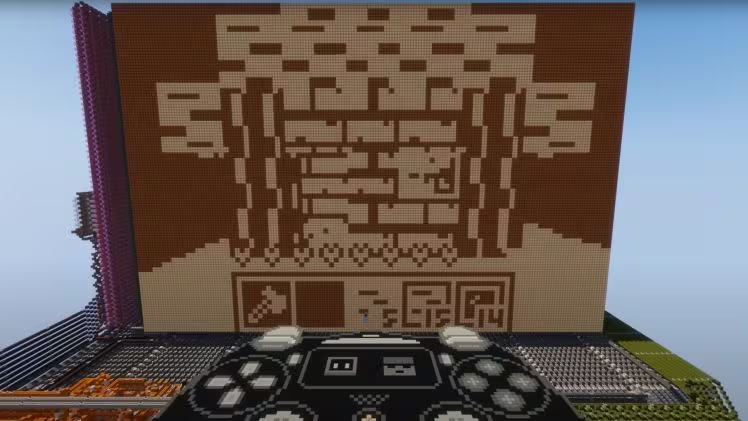
Sammyuri’s interest in Minecraft started in 2013. “I was drawn in through redstone,” he says. “I started off experimenting and seeing what I could do, then I focused more on piston doors – big doors, or cool-looking doors. I’ve also dabbled a bit in slime block robots, which is where you build giant robots and attach weapons to them to fight other robots!”
His interest in redstone soon moved to more advanced builds. “When I got into redstone computing I had no idea how to create a circuit. I’m learning a lot through school but a lot of what I do is my own research, interacting with communities, and learning from them.”
Redstone engineering has inspired a community of creative, supportive builders who share knowledge and keep pushing the boundaries of what Minecraft computing is capable of. Sammyuri mentions Mumbo Jumbo’s redstone tutorials, QSmally’s QCPU, and the Open Redstone Engineers group as just a few sources of inspiration.
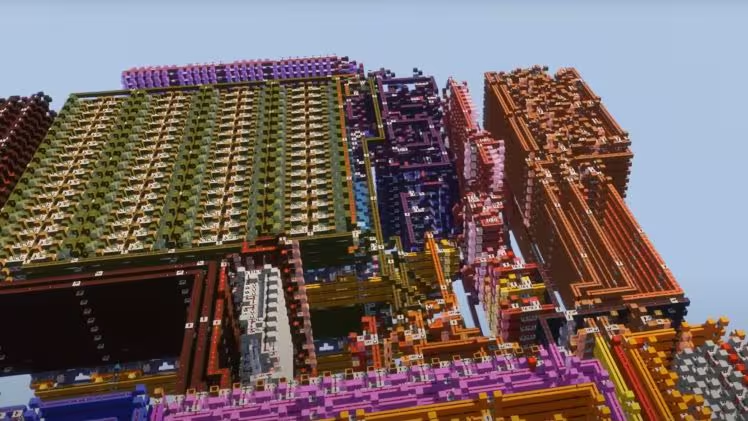
The green section is memory, and the ones on the right provide hardware acceleration.
“I just chatted to people and learned, and saw what they had already built and took inspiration from it,” he says. “I gradually built more and more complex stuff until I was confident enough to embark on large projects like CHUNGUS2 and Minecraft in Minecraft.
“It’s an interesting learning curve, but a really nice aspect of Minecraft is the community feel of it. If you can find a community like the one that I found, there are loads of people who will help you along the way.”
The CHUNGUS2 itself is a city-sized warren of struts and pathways, glowing with streams of redstone. Inside, an incredibly complex system of switches and redstone doodads work together, turning the structure into a working CPU that can interface with RAM and graphics processor components. But once you have the finished computer, you need to get it to run Minecraft.
Easy? Not exactly.
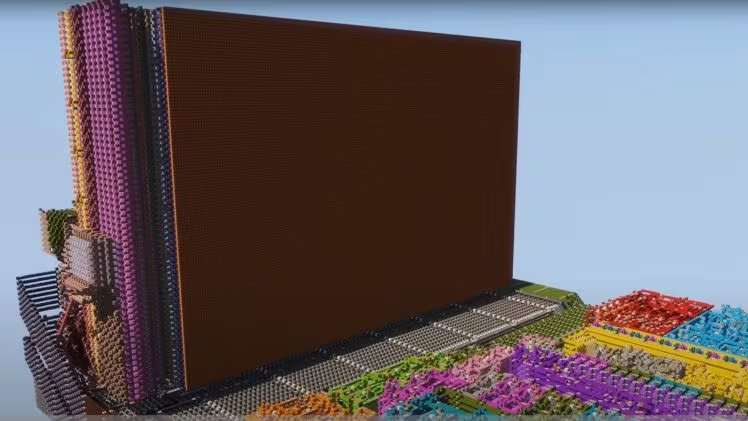
The 96 x 64 pixel screen towers over the rest of the build.
Uwerta and StackDoubleFlow joined the project and the trio attacked the project in earnest. “What we were doing with Minecraft in Minecraft was something totally new,” says sammyuri. “Noone had built a proper functioning graphics processor before or attached that much memory to a computer. Whenever we had a problem, we had to fix it ourselves.”
While there are plenty of resources online devoted to building redstone computers, developing the rest of the build meant adapting real world memory and graphics processing design to Minecraft logic. Sammyuri mentions that having project partners meant the team could swap ideas and stay motivated in the face of problems that few other builders had attempted up to that point.
“There’s a lot of moments when it doesn’t work, or you’re struggling to solve a particularly difficult area of it, come up with a circuit that can do something difficult. It takes time. Sometimes you have to take a break.” Sammyuri enjoys a spot of Minecraft 1.8 PvP to take his mind off things, but at the end of the day he says it’s a matter of perseverance. “If you start a project you have to want to finish it.”
As well as the not-so-small matter of designing and building the systems to make Minecraft in Minecraft work, there’s also the issue of the sheer amount of time it takes for so many complicated redstone processes to activate in-game. Thankfully there’s a solution that many redstone computer builders have made use of: StackDoubleFlow’s Minecraft High Performance Redstone Server. This speeds the redstone processes up thousands of times, essentially overclocking the entire virtual computer.
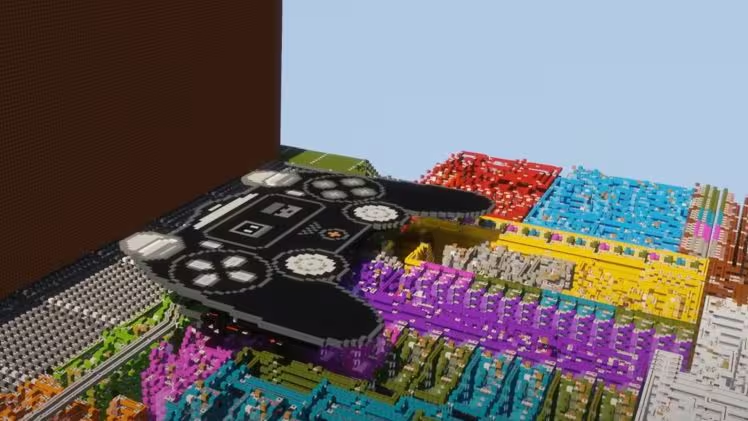
That controller design looks a bit familiar doesn’t it?
It took several more months to complete the project, but in some respects working with redstone was actually easier than working with real life circuits. “You can do some funky things with it. You can make circuits smaller, or faster, or more efficient in general”. Power consumption and heat aren’t a problem in Minecraft space (minding you don’t build your computer in the lava seas of the Nether), and certain redstone structures like binary adders and comparators let builders get especially creative.
The results are remarkable, but there’s plenty more to come from the redstone engineering community. Sammyuri has been particularly impressed with a build featuring a functioning color screen. “They ran Tetris on it, and they have a 32 bit computer and everything. Advances are still being made.” In the meantime, sammyuri already has plans for new projects…
“You know the classic thing that anything can run DOOM? Well, Minecraft probably can as well.”
As for advice for budding engineers looking to unlock the power of redstone, sammyuri recommends getting experience with small builds to prove that your ideas will work for bigger projects, and then designing thoroughly before starting the building process. “Also, as well as that, just go for it!”