Java Edition: Friends List and World Joining
 𝓕𝓻𝓸𝓰𝓾𝓼
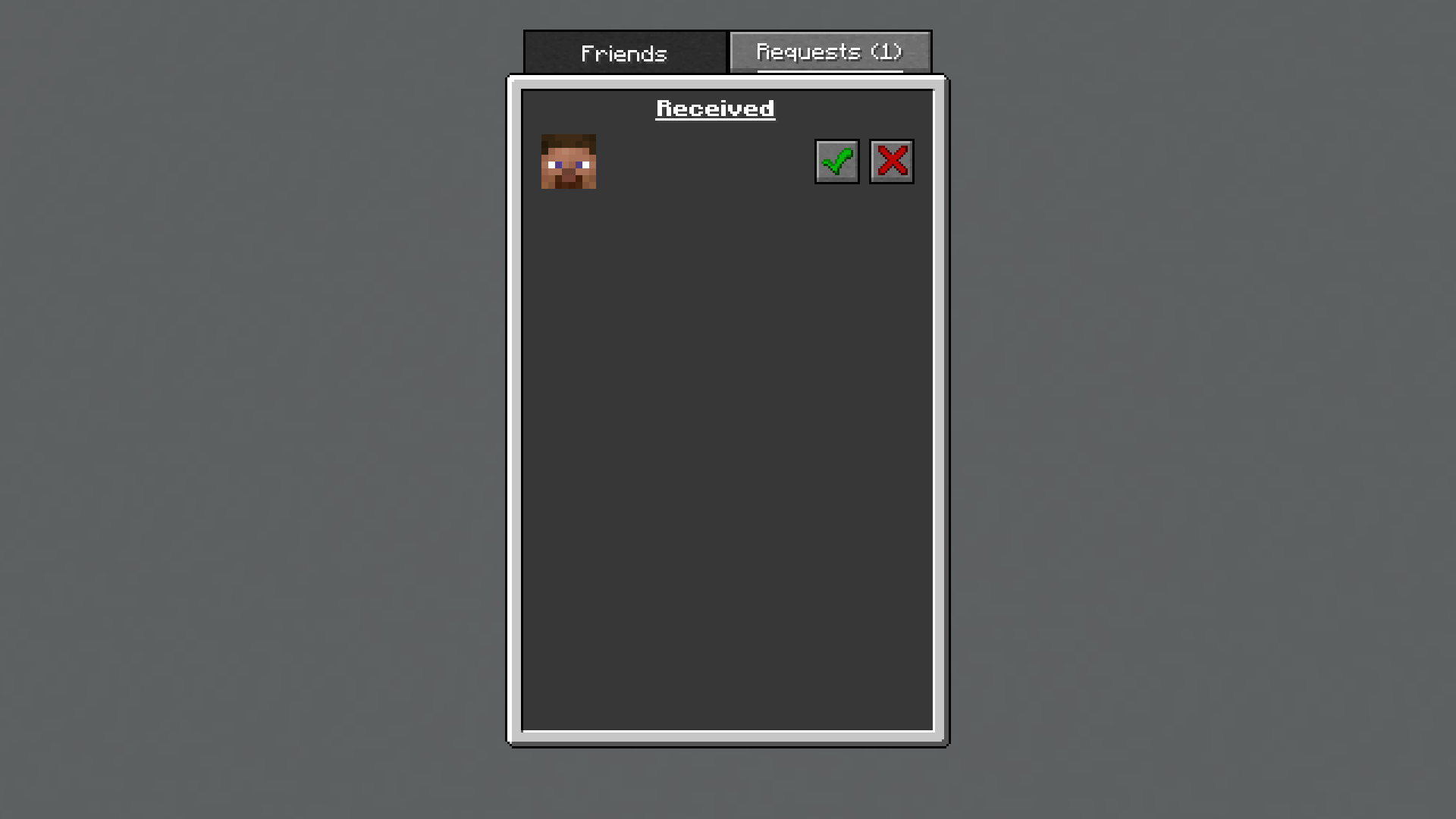
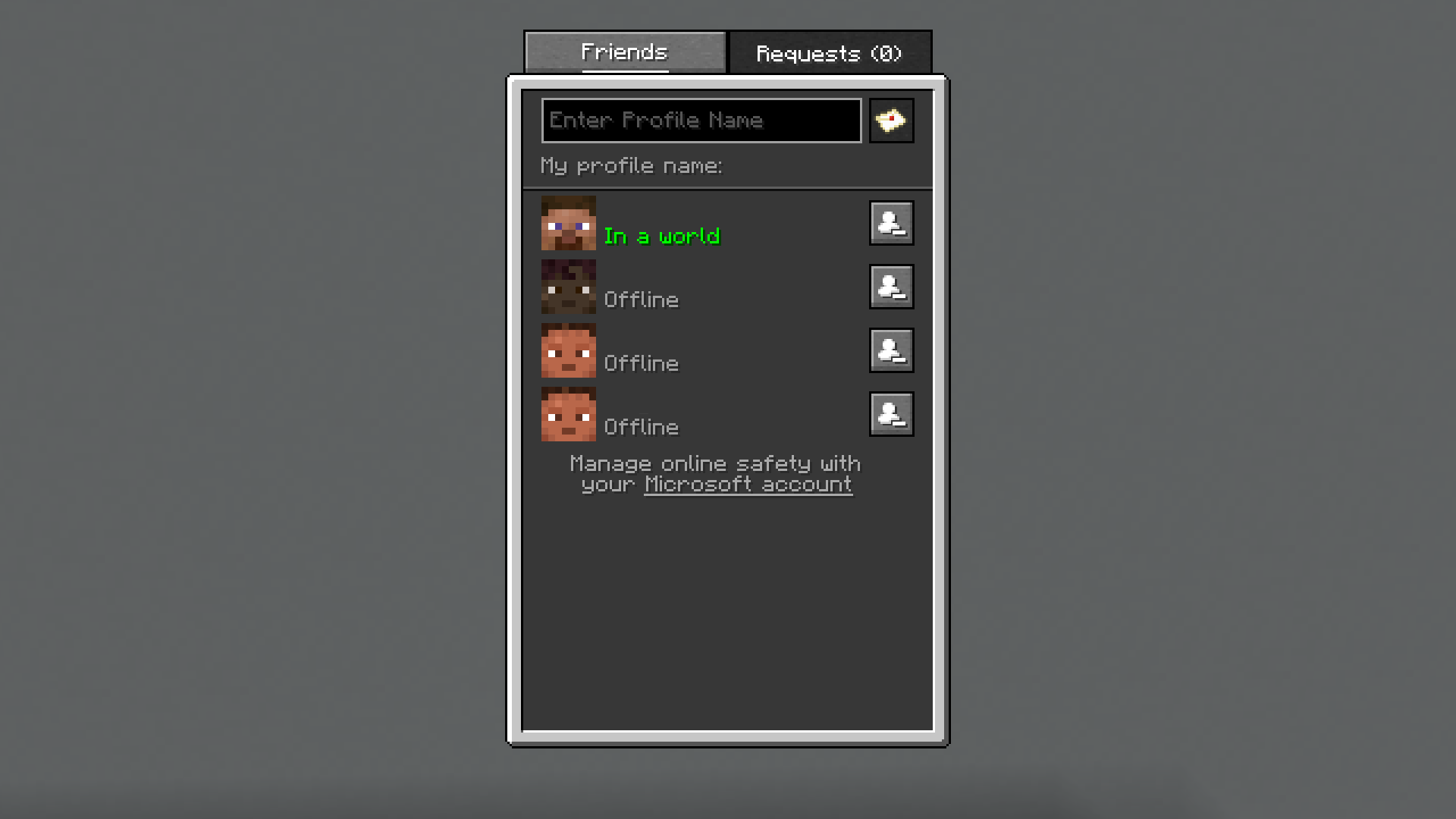
In the latest snapshot, the Friends List was introduced to Java Edition, featuring the ability to add friends and invite them to your local worlds.
In Java 26.2 Snapshot 7, the Friends List was introduced with the following features:
- The Friends List can be opened by pressing
o(default) or using the Friends button in the pause screen or main menu. - Adding and Removing Friends
- Search by username to send a friend request.
- Xbox friends who own Java Edition are automatically placed on your Friends List.
- Local World Joining (for worlds set to "Online" in the multiplayer settings)
- Friends can request to join. The world host receives a notification to accept or deny the request.
- World hosts can invite friends to join. The invited friend receives a notification to accept or deny the invite.
- Statuses
- Offline
- Online
- In a world
- In a joinable world
Why This Is Important
One of the biggest complaints about Java Edition has always been the multiplayer experience. While Bedrock Edition has had peer-to-peer hosting since its creation, Java Edition has always relied on third-party hosting or mods.
The introduction of an integrated system for peer-to-peer hosting makes creating a multiplayer session much simpler, allowing players to play together with just a few buttons.
Impact
Mods that provided peer-to-peer hosting support will no longer be necessary to play with friends on a local world.
Servers and Realms will still be needed for worlds that have to stay accessible whether or not the host is online.
Notes
The Friends List is still exclusive to snapshots, so changes are to be expected.
MCBE News will monitor updates and provide information as it becomes available.