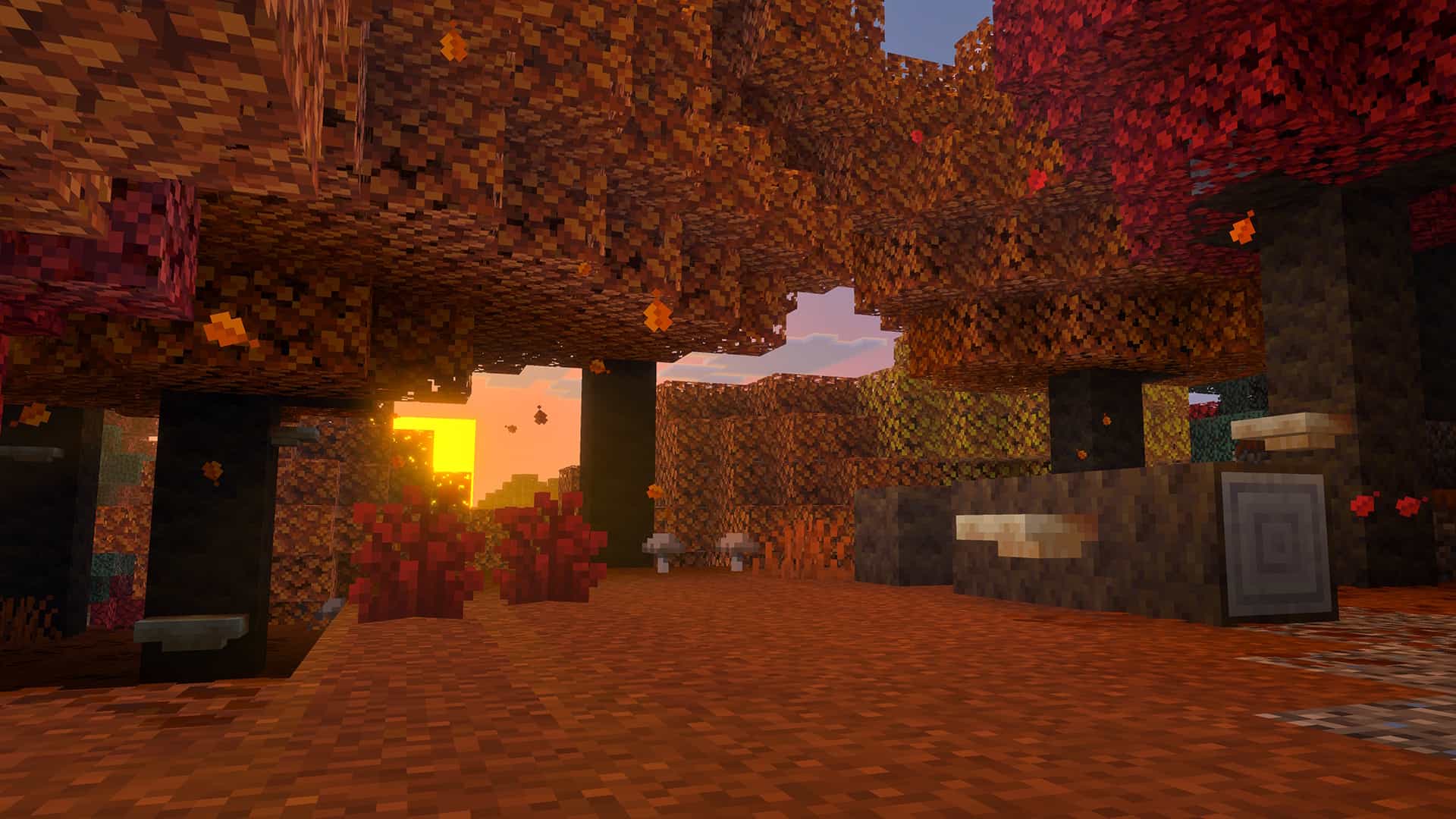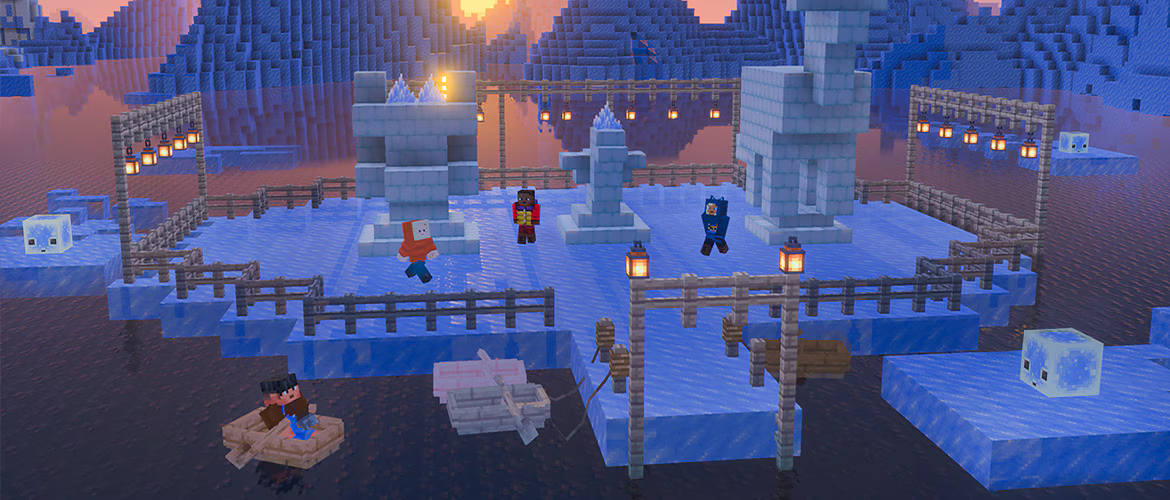
Test more of the upcoming game drop's features! Build a winter wonderland with a full set of snow bricks, including snow bricks, packed snow brick slabs, snow brick stairs, and snow brick walls. Freeze water into frosted ice blocks by feeding blue ice to a cold sulfur cube. Cool!
And as always, we're keen to get your feedback on these new features at feedback.minecraft.net, and you can report any bugs you find at bugs.mojang.com.
Drop 4 of 2026 Features
Block sets
- Introduced Snow Bricks
- A new snow themed brick block set
- A decorative block
- Building block in the same vein as other brick block sets
- Does not melt
- Best tool is Shovel
Blocks
- Blocks from the Packed Ice Bricks block set are now correctly located in the Creative inventory, following their Sulfur counterparts
- Blocks from the Packed Ice Bricks block set now cause Note Blocks to play the Chime sound
- Packed Ice Bricks Slabs and Stairs now submerges correctly in lava and water
- All parts of the Packed Ice Bricks set now has names following the same pattern as for the other Bricks Block sets
- Emits ambient sounds if standing on a block of packed ice
- Wandering Traders now sell one Ice Crystal for two Emeralds
Mobs
- Husks now convert into Zombies before becoming Frostbites when submerged in Powder Snow (MCPE-243516)
- Zombies, Husks, and Drowned no longer take freezing damage in Powder Snow (MCPE-243321)
- Drowned now convert into Zombies before becoming Frostbites when submerged in Powder Snow (MCPE-243517)
- Villagers and Zombie Villagers now spawn as their snowy variants in Ice Caves
- Sulfur Cubes now have a new archetype: Cold
- Sulfur Cubes with the Cold archetype create Frosted Ice when moving over Water source blocks, similar to the Frost Walker effect
- Otherwise behaves like the Fast Sliding archetype
- Obtained by equipping a Sulfur Cube with a Blue Ice block
Sound
- Brittle ice shows correct closed captions when cracking
Features and Bug Fixes
Accessibility features
- Added new tooltips to 14 misc items and updated existing tooltips for Smithing Templates, workstations, tools and enchantments
- Realms FAQ pages now hints to navigate down when expanded
- Closed Captions no longer briefly flash and disappear after closing a GUI (MCPE-237489)
Blocks
- Fixed the map color of Lightning Rods
- Suspicious Sand now displays a closed caption when a player brushed it to completion (MCPE-238923)
Gameplay
- Fixed an issue where teleporting into the side of a block could trigger effects meant for standing on it
- Ender Pearl now teleports the player to where it was on the tick before it hit, in order to match Java behaviour
- Teleporting no longer assumes a player who was on the ground before teleporting is still on the ground afterwards
- Fixed an issue on the first connection to experiences that could prevent certain multiplayer features from working correctly
Graphics
- Block cracking textures on Icicles, Ice Crystals, Straw Beds, and other single-sided custom geometry blocks are no longer darker than intended
- Equipped platform-exclusive skins, such as Mario Mash-up skins, now appear in local and platform-only worlds on Nintendo Switch
- Fixed an issue where certain animations would play too fast in split screen play.
- Fixed an issue that could cause a rendering error when multiple items were placed on a campfire with ray tracing enabled.
Input
- Pressing Tab in chat with a physical keyboard on Android now autocompletes commands instead of typing a "Õ" character (MCPE-242450)
- Ctrl+Backspace and Ctrl+Delete with a physical keyboard on Android now delete a whole word instead of a single character (MCPE-242450)
Mobs
- Frogs in deep water now reliably swim up and climb out onto nearby land
- Adult Turtles in water now climb out onto nearby land instead of staying in the water
Music Add-Ons
- The pocket jukebox will not impact player movement
Realms
- Closed saves screen context menu at the start of realm download
- Updated Realms menu engine integration
Sounds
- Fixed duplicate music disc playback when a split-screen player joins
User Interface
- Fixed a bug where offers in the Content section of the Marketplace Pass page loaded forever when the page was opened from a web deeplink
- Players can now use number keys to move items from the hotbar into slots within a Furnace, Blast Furnace, or Smoker (MCPE-242444)
- Removed the extra "1." prefix from the version number shown in the Ore UI main menu (MCPE-243637)
- Fixed a bug which caused icons to sometimes flicker in the achievements screen (MCPE-242510)
- Marketplace Pass in Settings > Subscriptions now shows the number of days remaining on the subscription
- Fixed a bug where the grayscale attribute on icons and image atlas elements was not working in JSON based UIs.
- Fixes 'Activate Texture' button from opening a broken version of the settings menu.
- Added responsive Marketplace hero rows that feature one highlighted item alongside supporting items
- When reordering packs with a keyboard or controller, focus now stays on the pack being moved, and pressing Back (B on a controller, Escape on a keyboard) cancels the move
- Updated Marketplace content cards to size artwork and item details to their layouts
- Limited responsive Marketplace grids to six columns by default
Marketplace
- The gifting error dialog now displays "Unable to Gift" when the sender is ineligible to send a gift
- The gift purchase confirmation button now shows the Minecoin icon (or the PlayStation token on PlayStation) next to the price instead of the word "Minecoins"
Technical Updates
Items
- Added new tag for sulfur cubes to make use of for physics determination and absorbing:
- minecraft:sulfur_cube_archetype_cold
AI Goals
minecraft:behavior.move_to_land
- Now only targets land the mob has a full path to, so mobs no longer swim against a wall trying to reach land on the other side
- No longer gives up as soon as it starts when goal_radius is smaller than the 2 blocks the mob moves past the land
- When search_count is above 0, sampled positions are now snapped to the ground, so mobs in deep water find nearby land much more reliably
API
- Fixed the Wither entity becoming invalid before scripts could access it in world.afterEvents.entityDie callbacks
- The BlockMapColorComponent can now be fetched on any block (MCPE-240722)
- PrimitiveText and DebugText are no longer hidden by the "In Game Player Names" option being disabled.
Biome Components
minecraft:tags
- Added the frozen tag to the Ice Caves biome
Blocks
- Box arrays in minecraft:collision_box have been updated as follows from version 1.26.70 and onwards:
- 'origin' and 'size' have been deprecated in favor of 'min' and 'max'.
- 'min' and 'max' were removed from version 1.26.60. Their minimum version is now 1.26.70 and they no longer require the "UpcomingCreatorFeatures" experiment to use.
- The maximum box count limit for min and max arrays is now 32.
- The component will not accept empty values.
Dedicated Server
- Added pack optimization support to Linux dedicated server.
Editor
- Added support for keyboard usage to affect structures in Layout Editor
Entity Components
- Added the following fields to the minecraft:teleport component
- target_teleport_distance: The minimum and maximum distance the entity can teleport towards its target
- Defaults to [16.0, 16.0]
- target_teleport_offset: The maximum random offset, on each axis (x, y, z) and in either direction, added to the teleport direction
- Defaults to [4.0, 8.0, 4.0]
- on_teleport_sound: Level sound event played after a successful teleport
- Falls back to the default teleport sound if none is bound; use "undefined" for a silent teleport
- Defaults to teleport
- can_teleport_into_liquid: If set to true, the entity can teleport into blocks that contain liquids, such as water
- Defaults to false
- target_teleport_distance: The minimum and maximum distance the entity can teleport towards its target
minecraft:trail
- Updated the minecraft:trail schema for format version 1.26.70
- block_type defines the trail block to place
- shape defines the horizontal placement pattern as corners, square, or circle
- extent defines the maximum horizontal distance from the center at which blocks can be placed
- offset defines the trail block placement positions relative to the entity
- placement_filter defines the entity conditions required before processing placement positions
- placement_checks accepts none, block, or standard to control validation at each placement position
- placement_conditions defines block requirements at vertical y_offset values from each placement position
- Entries combine with AND and block_types within an entry combine with OR
- When omitted, placement_conditions defaults to [{ "y_offset": 0, "block_types": ["minecraft:air"] }]
- place_only_on_block_position_change limits placement to ticks where the entity moves into a different block or lands, and defaults to false
minecraft:transformation
- transformation_sound now respects entity-specific sound mappings in sounds.json
Entity Event Responses
- Added the "place_feature" entity event response, allowing features to be placed at the entity's position
- The "feature" field allows to specify the type of feature to place
- The "target" field allows to specify which target entity's position to place the feature at
- This feature is currently only for internal use and will be made public in the future
User Interface
- Added "Close Creator Screens" keybinding to force close custom DDUI screens.
Experimental Technical Updates
API
- Added class BlockItemFrameComponent to beta for inspecting, setting, replacing, and clearing the item displayed by item frames, with an option to drop the item when clearing
- Added getRotation and setRotation methods to BlockItemFrameComponent in beta for inspecting and setting item frame rotation in 45-degree increments, from None through Clockwise315